
Own your form pipeline
Submify is a self-hosted Form-Backend-as-a-Service. POST JSON from any HTML form or static site, then manage submissions, exports, Telegram alerts, and S3 uploads from your own dashboard — on your own infrastructure.
curl -fsSL https://raw.githubusercontent.com/Raktim94/Submify/main/install.sh | bashWhy Submify
Built for ownership
Not another SaaS holding your form data hostage behind a monthly bill.
Own your data
Submissions live in a PostgreSQL database on your server. No third party ever sees them in transit or at rest.
Deploy in minutes
One installer script brings up Nginx, the API, the dashboard, and Postgres as a single Docker Compose stack.
Open source
AGPL-3.0 licensed, source available on GitHub. Audit it, fork it, or self-host a modified version — if you run a modified version as a network service for others, share that source back.
No vendor lock-in
Standard Postgres, standard S3 API, standard Docker. Move your data or your deployment anywhere, any time.
Features
Everything a form backend needs
No middleman on your submissions — every feature runs on infrastructure you control.
Per-project API keys
Each project gets its own public/secret key pair. One account key works across every site you embed it on — no per-form setup dance.
A real dashboard
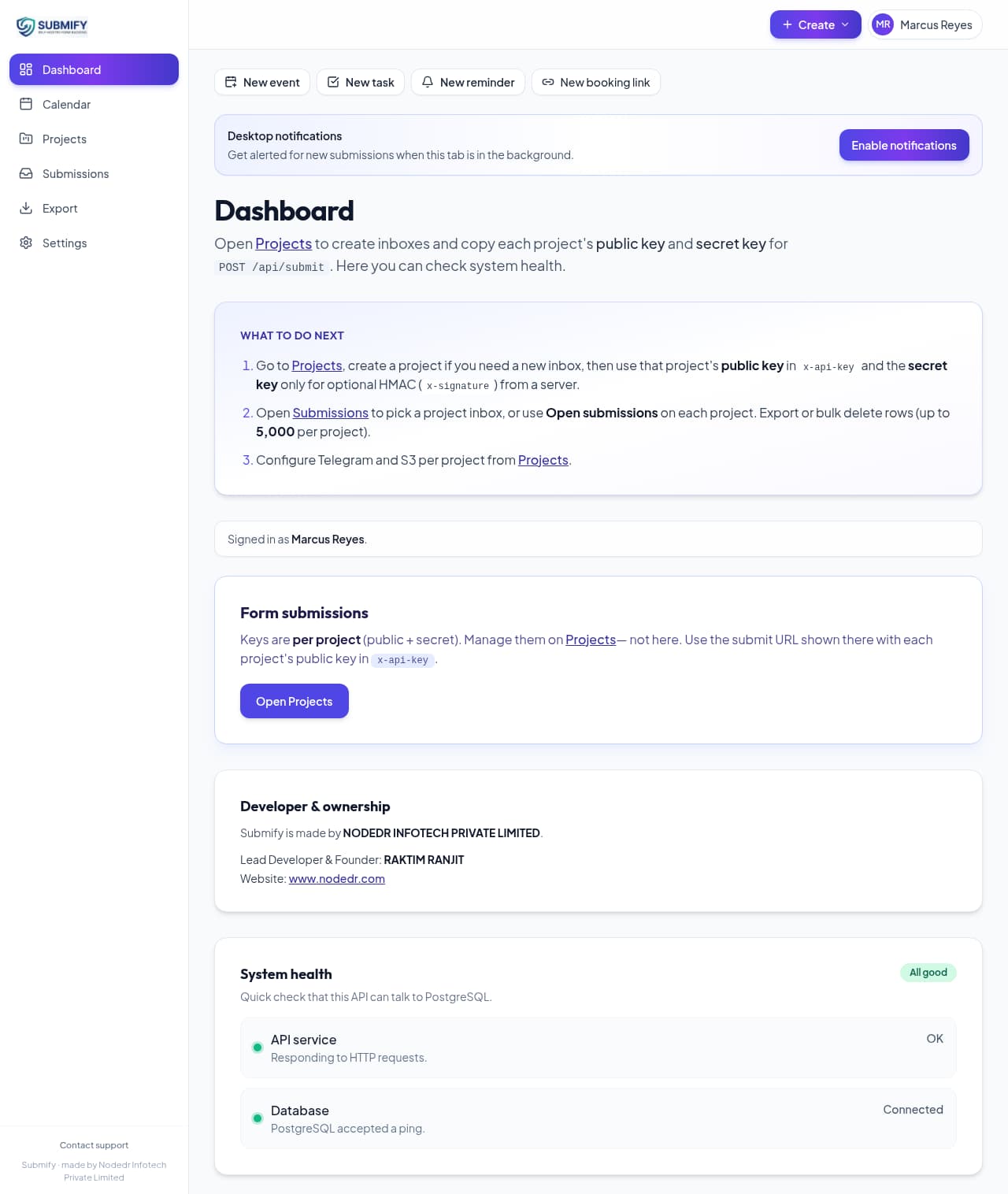
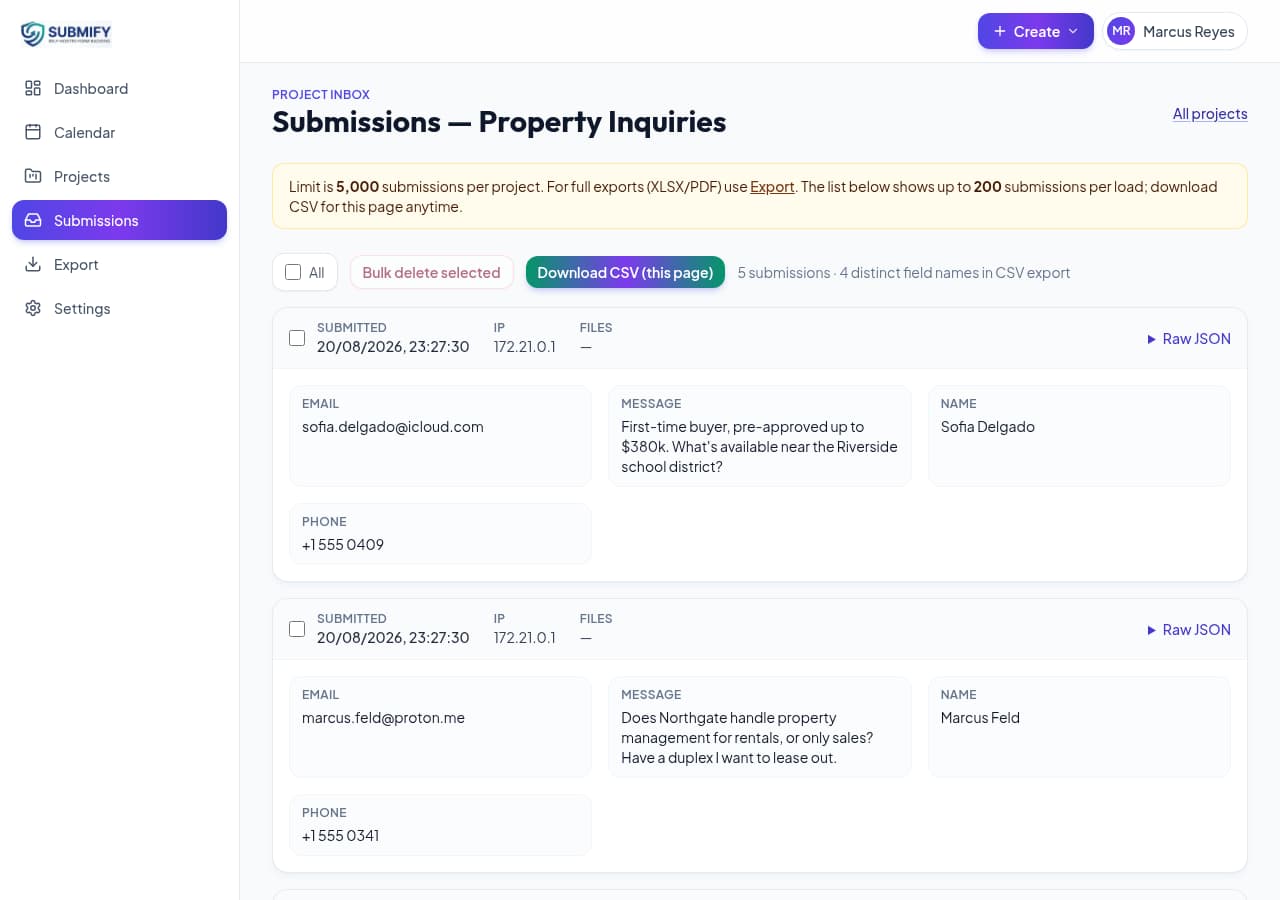
Review, search, and bulk-delete submissions per project. Everything is scoped by account and project — nobody else's data is ever visible.
Export to XLSX or PDF
Pull full project exports any time, capped at 5,000 rows per project so you stay in control of storage.
Telegram notifications
Optional per-project or account-level Telegram alerts the moment a form is submitted — no email server required.
Optional S3 uploads
Connect any S3-compatible bucket (AWS S3, Cloudflare R2, MinIO, Wasabi) per project for presigned file uploads. Submify never stores the file bytes.
Your infrastructure, your data
Runs as one Docker Compose stack — Postgres, the Go API, the dashboard, and Nginx. No third-party SaaS sits in the request path.
Booking & availability
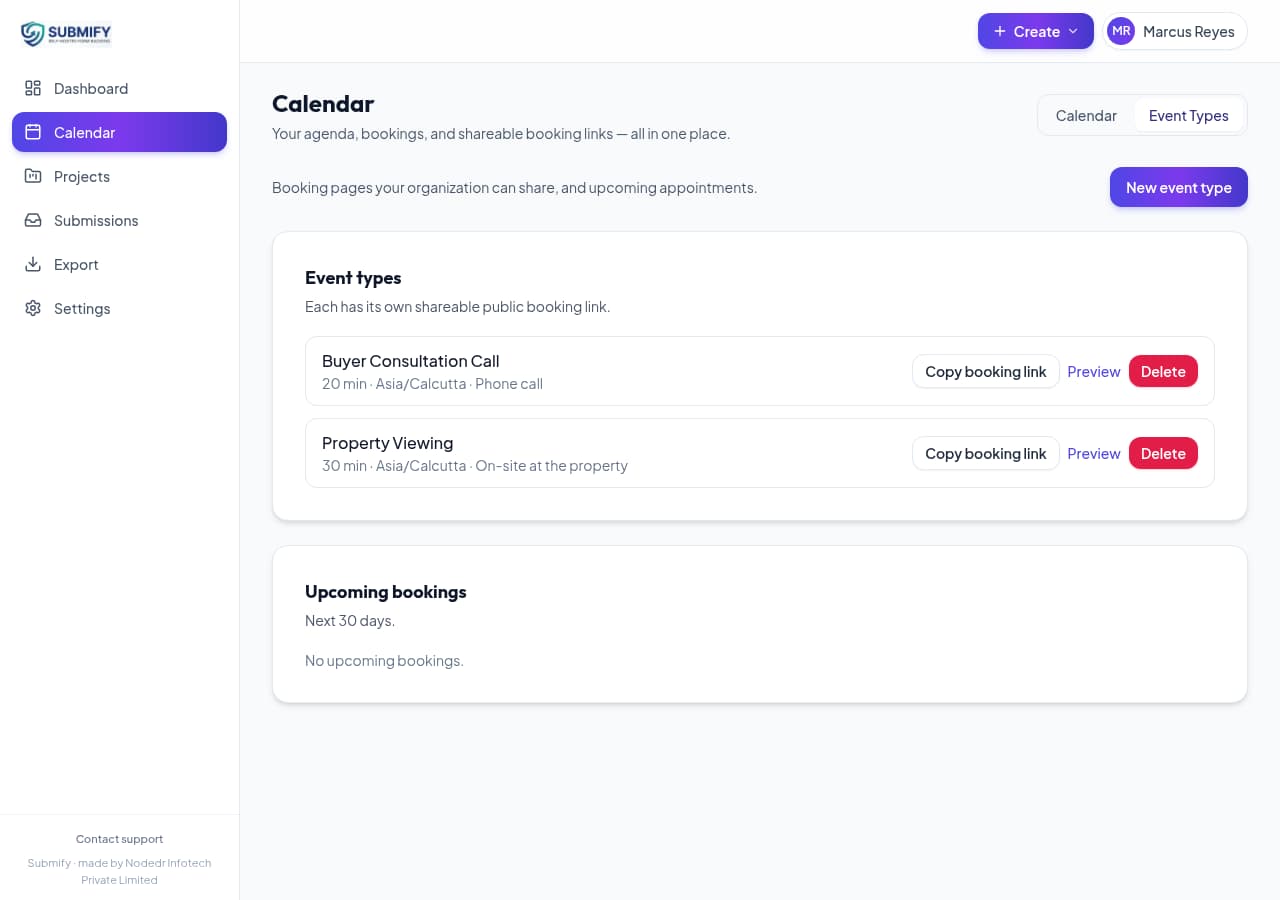
Define event types with your own availability windows and share a public booking link — bookers get a manage/cancel link, no account needed.
Automatic backups & one-click updates
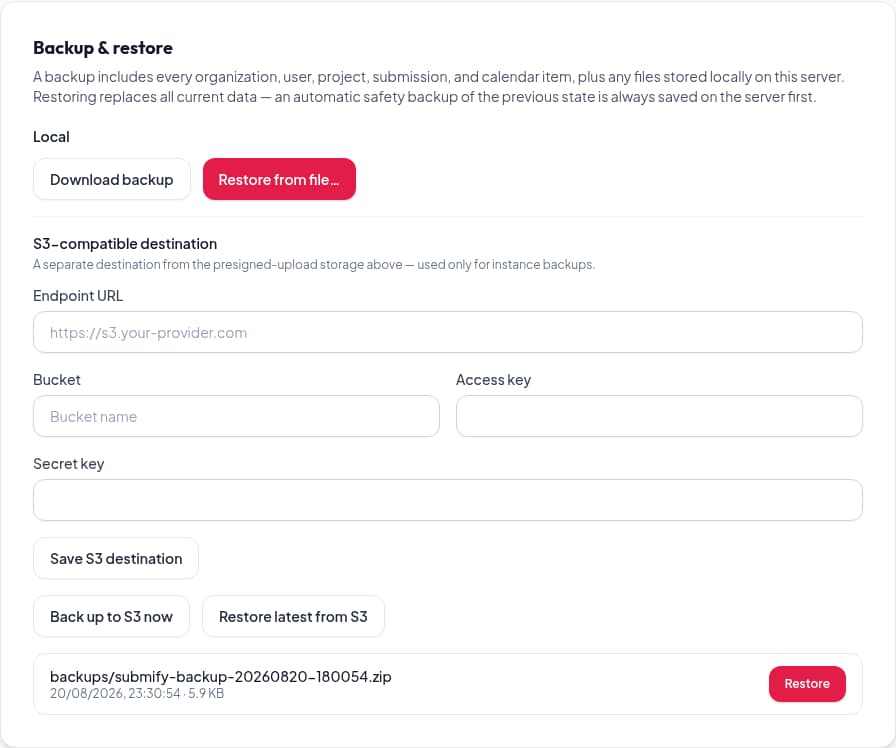
Point Submify at any S3-compatible bucket and it backs itself up on a schedule (every 3 days, keeping the latest 2) — plus a one-click update button that pulls and restarts the stack for you.
Zulivio CRM sync
Push a form submission straight into Zulivio as a lead using your existing Zulivio API key — no Zapier, no polling.
See it in action
Real screenshots from a running Submify instance — the dashboard, submissions, booking, and backups.
Developer-first
One endpoint, any stack
POST JSON to /api/submit with your project's public key. Works from plain HTML, React, Vue, or a server route.
curl -X POST https://your-submify-host.com/api/submit \
  -H "Content-Type: application/json" \
  -H "x-api-key: pk_live_your_public_key" \
  -d '{
    "data": { "name": "John Doe", "email": "john@example.com" },
    "files": []
}'your-submify-host.com with your own domain and pk_live_your_public_key with the public key from your project's dashboard. Full request/response reference lives in the API docs.Architecture
One Docker Compose stack
Nginx, the Go API, the dashboard, and PostgreSQL — all running on your own server.
Browser / client sites
Any HTML form or fetch() call
Nginx — single published port
Routes /api/* to the Go API, everything else to the dashboard
Go API (Gin)
Auth, projects, submissions, exports, rate limiting
Next.js dashboard
Review submissions, manage projects and keys
PostgreSQL
Single database, rows scoped by user_id / project_id
External S3-compatible storage (optional)
AWS S3, Cloudflare R2, MinIO, Wasabi — per project
Comparison
Why not just use Formspree?
Hosted form services are convenient — until you count the cost of not owning your data.
Self-hosted
You own the database
Docker Compose deploy
AGPL-3.0 licensed / source available
Per-project public/secret keys
S3-compatible file uploads
Telegram notifications
XLSX / PDF export
Submission cap
Monthly cost at scale
Comparison reflects each provider's publicly documented free/entry plans as of this writing — check their sites for current pricing.
Get started
Install on your own server
Pick your platform — every path ends with the same Docker Compose stack.
One command installs Docker Engine and git if either is missing, clones the repo, generates strong random secrets on first run, and brings up the full stack. If you installed Docker from Debian's docker.io package, see the Debian prerequisite steps in the docs before running.
One-line installer (installs Docker Engine + git if needed)
curl -fsSL https://raw.githubusercontent.com/Raktim94/Submify/main/scripts/quickstart.sh | bashRequires Docker Engine and the Compose v2 plugin. Once the containers are up, open http://localhost:2512 and create your first account at /register.
Requirements
- Docker Engine
- 20.10 or newer
- Docker Compose
- v2 plugin
- RAM
- 512 MB minimum
- Disk
- ~2 GB for images + data
Roadmap
Actively developed
What's already in the box, and what's being worked on next.
Shipped
- Per-project public/secret API keys
- Dashboard — search, review, bulk-delete
- XLSX and PDF export (5,000 rows/project)
- Telegram notification integration
- Optional S3-compatible file uploads
- Client portal — password-protected, read-only sharing
- One-line installer with generated secrets
Planned
- Email notifications
- Outbound webhooks
- Slack integration
- OAuth sign-in
- Audit log
Have a feature request? Open an issue on GitHub.
Who made this
NODEDR INFOTECH PRIVATE LIMITED
Submify is built and maintained by NODEDR INFOTECH PRIVATE LIMITED, led by Raktim Ranjit (Lead Developer & Founder).
FAQ
Frequently asked questions
Ready to own your form pipeline?
One command, your own server, your own data.